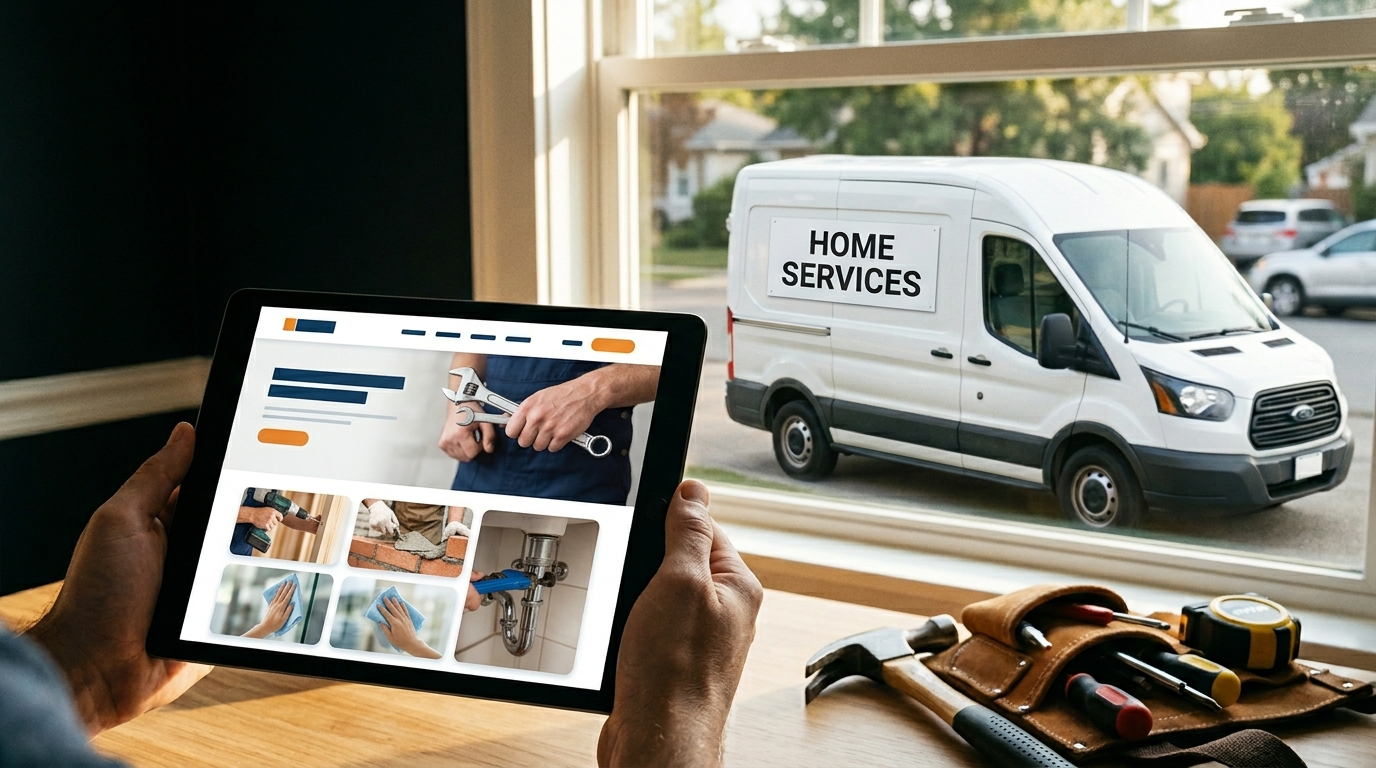
Most home service websites are built to look good in a portfolio. The best ones are built to ring the phone.
There’s a difference, and it’s not subtle. A site that wins a design award but loads in 6 seconds on a phone does nothing for you. A site that’s plain but has a click-to-call button above the fold and 200 Google reviews displayed where people can see them? That site is working while you’re on a job.
This guide breaks down exactly what separates high-performing home service websites from the ones that just exist. If you’re a contractor, a plumber, a tree service owner, or anyone in the trades evaluating your current site or planning a new one, this is the playbook.
The One Job Your Website Has
Your website has one job: convert a visitor into a lead within 60 seconds.
Not impress them. Not tell your story. Not showcase your brand identity. Convert.
The person landing on your site is usually on a phone. They’re often stressed: a pipe burst, a tree fell on the fence, the inspection is tomorrow and something came up. They have three to four browser tabs open. They’re comparing you to two other companies. They have 90 seconds before they pick one and call.
Your site either makes that decision easy or it doesn’t. Most sites don’t.
The homeowner doesn’t need a three-paragraph mission statement about your commitment to quality. They need to know you can help, that other people trust you, and how to reach you right now. Give them those three things fast and your site converts. Make them hunt for any one of them and they’re gone.
What Belongs Above the Fold
Above the fold is the part of the screen visible before anyone scrolls. On mobile, that’s roughly 600-700 pixels of real estate. Every pixel matters.
The best home service websites pack five things into that space.
A headline that says who you are, what you do, and where. Not “Welcome to ABC Plumbing.” Something like “Emergency Plumbing Repair in Charlotte, NC” or “Tree Removal and Trimming Serving Raleigh and Surrounding Areas.” Location matters because local search is how most home service customers find you.
A phone number that’s large and click-to-call. This one seems obvious. You’d be surprised how many sites bury the number in tiny text at the top corner. On mobile, the number should be tappable and prominent. If someone has to zoom in to read it, you already lost them.
A primary CTA that’s specific. “Get a Free Estimate” and “Call Now” work. “Learn More” does not. “Learn More” is the button of a company that hasn’t decided what it wants visitors to do. Decide.
A trust signal. One is enough above the fold: your Google rating, your years in business, a certification logo, or a “licensed, bonded, and insured” line. You’re asking someone to let you into their home. Give them a reason to say yes before they scroll.
A real photo. Not stock. Your truck. Your crew. A job site. Homeowners can smell stock photography. A real photo of your actual operation tells a story in a half-second that no headline can match.
The Pages You Need (And Why Most Sites Get This Wrong)
The most common website mistake in the trades is combining everything into too few pages. One “Services” page with eight services listed on it. One big service area paragraph that mentions ten cities. That approach doesn’t work for SEO and it doesn’t work for conversion.
Google ranks pages, not websites. That means each service and each location needs its own page to have any shot at ranking for specific searches.
Here’s the page structure that works.
Home page. This is the overview: who you are, what you do, where you serve, proof that you’re trustworthy, and a clear path to contacting you. It’s not where you go deep on any one service. It’s where you earn the click to go deeper.
Individual service pages. One page per service, not one page for all services. If you do plumbing repairs, drain cleaning, water heater installation, and repiping, those are four pages. Each one targets its own search terms and speaks to a customer with a specific problem.
Location pages. If you serve multiple cities or counties, each one gets its own page. “Plumber in Raleigh” and “Plumber in Durham” are different searches from people in different places. They need different pages. See how we build these in our guide to plumber website design.
About page. Credentials, story, team photos with real names. Homeowners hire people, not companies. The about page is where they decide if they like you enough to call. A photo of you and your crew goes further than three paragraphs of company history.
Reviews or testimonials page. Pull your best Google reviews, embed them, add a few quotes. Make social proof a destination, not just a sidebar widget.
Blog. We’ll come back to this. Short version: every post you publish is another page Google can rank. It compounds over time.
Contact or request service page. The form has to work. On mobile. On every browser. With fields short enough that someone fills it out while standing in their kitchen with a wet floor. Name, phone, zip code, and what they need. That’s enough.
Service Pages That Actually Convert
Service pages are where most of the leads come from. They’re also where most home service websites fall flat.
A service page that converts follows a predictable structure. It starts with an H1 formatted as “[Service] in [City or Area].” That’s not a creative choice, it’s what people type into Google. Match the search, rank for the search.
The first section confirms what the service is and why someone needs it. Not a dictionary definition. A description that sounds like a real customer situation: “If your water heater is more than 10 years old or you’re running out of hot water in under 20 minutes, it’s probably time for a replacement.” That’s what the customer is experiencing. They’ll keep reading.
Next comes your process. How do you do the work? What does the customer experience from the first call to the finished job? Contractors who explain their process build trust faster than those who don’t. Most homeowners have hired someone who showed up, created more problems, and disappeared. Walk them through how your process is different.
Then differentiators: what makes you the right call over the other three companies they found? Response time? Specific certifications? Guarantee on your work? Price matching? Name them. Vague claims (“we’re the best in the area”) do nothing. Specific claims (“we respond to emergency calls within 2 hours, 7 days a week”) convert.
Social proof goes here. Ideally, reviews that mention this specific service. “John fixed our water heater the same afternoon we called” is worth more than a generic 5-star review on a plumbing service page.
FAQ section near the bottom. Real questions customers ask: how much does this cost, how long does it take, do I need a permit, what brands do you work with. Google reads FAQs and uses them for featured snippets. Customers read them and get their objections answered before they call.
And a CTA at the bottom: phone number, form, or booking link. Don’t make them scroll back to the top.
Trust Signals That Actually Move People Off the Fence
Most home service websites list their trust signals in the footer where nobody looks. The companies converting at the highest rate display them where the decision happens: above the fold, on every service page, and next to every contact form.
Google review count and rating. If you have 150 reviews at 4.8 stars, that number should be on your home page, not buried. Most people check reviews before calling a contractor. Show them yours before they go look.
Licenses and certifications. Specific to your trade. Not “certified professionals” (which means nothing). The actual credential: licensed plumber, ISA-certified arborist, InterNACHI-certified home inspector. The home inspector website design guide covers how inspectors should display InterNACHI and ASHI credentials specifically.
Licensed, bonded, and insured. Say it plainly. Don’t make customers wonder. They’re inviting you onto their property. This line removes a real objection.
Years in business. “Serving [City] since 2008” is a trust signal. New companies can use number of jobs completed instead: “500+ jobs in the [region] area.”
Team photos with real names. Photos of actual employees, not stock photos of generic service workers. When people can see the person coming to their house, they’re more comfortable making the call.
The companies that win in competitive markets aren’t always the best operators. They’re the ones who’ve done the best job proving they’re trustworthy before anyone picks up the phone.
Mobile Optimization Is Not Optional
More than 70% of home service searches happen on a mobile device. Your phone is where customers find you. If your site doesn’t work on a phone, you don’t have a website. You have a liability.
The phone number needs to be in a sticky header that follows the user as they scroll. Every time someone decides they want to call, the number should be one tap away. Don’t make them scroll back to the top.
Forms have to work at 390 pixels wide, which is a standard smartphone screen. That means no tiny input fields, no multi-column layouts that break, no dropdowns that don’t work on iOS. Test every form on a real phone before you launch.
Page load time matters. Most mobile users on 4G will leave a site that takes more than 3 seconds to load. The culprit is almost always images: photos uploaded at full resolution, running 4-8MB per image on a page meant to load in under 3 seconds. Compress everything. Target under 200KB per image.
If you’re not sure how your site performs on mobile, open Google PageSpeed Insights, drop in your URL, and look at the mobile score. Anything under 60 is a problem. Under 40 is why your phone isn’t ringing.
Speed and the Technical Foundations That Support Everything Else
Speed and technical SEO aren’t exciting topics. They’re also the reason some sites rank and others don’t, even when the content is comparable.
Image compression. Every image should be under 200KB before it goes on the site. Use WebP format when possible. Tools like Squoosh or ShortPixel handle this. Most sites skip this step and pay for it in load time.
Content delivery network (CDN). A CDN serves your site’s files from a server physically close to the user, which speeds up load time. Cloudflare offers a free plan that works for most small contractor sites. This is a half-hour setup that meaningfully improves speed.
Lazy loading. Images below the fold don’t need to load until the user scrolls to them. Lazy loading cuts initial page load time without removing any content. WordPress handles this automatically. Other platforms may require a setting or a plugin.
HTTPS. Not optional. Google flags sites without SSL certificates as “not secure” in the browser. Customers see that. It kills conversions. Every modern hosting provider offers free SSL through Let’s Encrypt. There’s no excuse for running on HTTP in 2026.
Core Web Vitals. Google uses LCP (Largest Contentful Paint), CLS (Cumulative Layout Shift), and INP (Interaction to Next Paint) as ranking signals. LCP measures how fast the main content loads. CLS measures whether elements jump around as the page loads. INP measures responsiveness. A developer who knows these metrics can audit your site and prioritize what to fix.
Target a Google PageSpeed score of 80 or above on mobile. That’s achievable on most WordPress sites with proper image handling and a caching plugin.
The Anatomy of the Worst Home Service Websites
Understanding what to avoid is as useful as understanding what to include. Most underperforming contractor websites share the same set of problems.
No phone number in the header. The customer has to search for how to contact you. On mobile, this alone costs conversions.
Stock photography everywhere. A cheerful contractor in a pristine uniform smiling at a clipboard. Nobody who’s ever actually run a plumbing company looks like that at 11am on a Tuesday. Real photos of your real operation build trust. Stock photos signal the opposite.
One catch-all “Services” page. Everything listed but nothing developed. “We do plumbing, HVAC, and electrical” tells the visitor nothing about any of those services and gives Google no page to rank for any of them.
Reviews buried or missing. Either hidden in a footer widget with two stars showing, or not present at all. If you have Google reviews, display them. If you don’t have enough yet, getting to 50 reviews at 4.5 or higher is more valuable than almost any other investment in your website.
Slow load times. Usually caused by uncompressed images. Often the site loads fine on a fast office connection and falls apart on a phone in the field.
Built in 2017 and never touched. Google can tell when content hasn’t been updated. More importantly, customers can tell. Old photography, old promotions, outdated certifications, and a copyright footer from six years ago all send the same signal.
Platform Comparison: What to Build On
Every platform has tradeoffs. Here’s an honest look at the options most home service businesses consider.
| Platform | Best For | SEO Capability | Annual Cost |
|---|---|---|---|
| WordPress | Full control, long-term SEO | Excellent | $150-$500/yr hosting |
| Webflow | Modern design, developer-friendly | Very Good | $200-$400/yr |
| Wix | Fast launch, basic needs | Moderate | $150-$300/yr |
| Squarespace | Clean look, simple to manage | Moderate | $150-$250/yr |
| Custom (agency-built) | Maximum performance and results | Excellent | $4,000-$15,000 build |
WordPress powers more small business websites than any other platform for a reason: it’s the most flexible, the most SEO-capable, and the best supported. Most serious home service businesses end up here eventually, even if they started on Wix or Squarespace.
Wix and Squarespace are fine for getting something up fast. They’re not the right foundation if your goal is to rank on Google and generate consistent organic leads at scale. The SEO limitations show up over time.
Custom-built by an agency gets you the most control and the best starting point. The upfront cost is real: $4,000-$15,000 depending on scope. But a site built with the right structure from the start outperforms a DIY site on Wix for years. See how we approach this for different trades in our guides to tree service website design and land clearing website design.
The platform question matters less than the structure and content decisions. A well-structured WordPress site beats a poorly built custom site. Choose the platform your team can actually maintain and keep updated.
How Blog Content Compounds Your Rankings Over Time
The home service companies that dominate their local markets almost all share one trait: they’ve been publishing useful content consistently for years.
Every blog post is a new page Google can rank. A post titled “How Much Does a Septic Tank Pumping Cost in [City]?” attracts homeowners who are price-shopping before they call. A post titled “Signs Your Water Heater Needs Replacement” attracts homeowners who are in the early stages of a buying decision. A post titled “How to Choose a Tree Service Company” reaches people the moment they start looking.
None of those searches are competitive at the local level. A contractor who publishes 20-30 well-written, specific posts over 12-18 months can own several pages of local search results that competitors haven’t thought to target.
The catch: blog content needs to be useful, not just present. A 300-word post that says nothing specific won’t rank. A 1,200-word post that actually answers the question a homeowner is searching will. The bar isn’t high. Most competitor content in the trades is thin. Doing it right is a real advantage.
We cover the full content and SEO strategy in our guides to contractor SEO and local SEO for contractors.
The Role of Calls to Action Throughout the Site
Most home service websites have one CTA: “Contact Us” in the navigation. That’s not enough.
CTAs belong in multiple places: above the fold on the home page, at the bottom of every service page, mid-page on long content, in the sidebar on blog posts, and at the top and bottom of the contact page itself. The goal is simple: wherever a visitor is when they decide they want to call, the next step is immediately obvious.
The CTA copy matters too. “Learn More” and “Contact Us” are generic. “Get a Free Estimate” and “Call for Emergency Service” tell the visitor exactly what they’re getting. Specific CTAs convert better than vague ones, consistently.
One CTA should always be a phone number. Not everyone wants to fill out a form. Some people, especially older homeowners and people in urgent situations, want to call. Give them that option everywhere.
Forms should be short. Name, phone, zip code, and what they need. That’s it. Every additional field costs you conversions. The information you actually need to qualify a lead takes 30 seconds to collect on a phone call anyway.
What Websites Can’t Do Alone
A good website is a foundation. It’s not a complete marketing strategy on its own.
A website that ranks on Google requires SEO work: on-page structure, consistent review generation, local citations, and regular content. A well-designed site with zero inbound links and no reviews won’t outrank a mediocre site with 200 reviews and three years of content. The site is the starting point.
A website that converts from paid traffic requires Google Ads or Local Services Ads driving relevant clicks. If the traffic isn’t qualified, a great site still doesn’t produce leads.
The full picture involves the website, the local SEO strategy, and in many cases an ads budget working together. We cover the broader strategy in our guides to marketing for contractors and digital marketing for home services.
What the website does that nothing else can: it’s the one piece of your marketing you own completely. Your Google Business Profile can get suspended. Your ad account can get shut down. Your Angi profile is Angi’s, not yours. Your website is yours. It’s the asset everything else points back to. Build it right.
What the Numbers Look Like When You Get This Right
A home service website built on the right foundation changes the economics of your marketing.
The average plumber on Angi pays $60-$150 per lead. Those leads are shared with 3-5 other plumbers simultaneously. The conversion rate is low and the lead quality is inconsistent. You’re paying to compete every single time.
Organic leads from a well-ranked website cost nothing per click. If your site ranks for “plumber in [your city]” and 40 people click through your listing each month, and you convert 20% of those into calls, that’s 8 new calls a month without a per-lead cost. At your average ticket price, that number adds up fast.
The trade-off is time. SEO results take 3-6 months to show meaningful movement, and the competitive markets take longer. The companies paying $60-$150 per Angi lead today are often the ones who didn’t invest in their website 18 months ago. The ones getting free organic leads now made that investment when the results weren’t visible yet.
For more on what the septic company website design looks like when it’s built to generate organic leads specifically, that guide breaks down the structure for a trade with a very different customer profile than general plumbing.
FAQ
How much does a home service website cost?
A DIY site on Wix or Squarespace runs $150-$300 per year in hosting costs, plus your time. A professionally built WordPress site from a freelancer typically costs $2,000-$5,000 upfront. An agency-built site with full SEO structure and custom design runs $4,000-$15,000 depending on the scope. The difference isn’t just design: it’s whether the site is built to rank and convert, or just built to exist.
What platform is best for a plumber or contractor website?
WordPress is the strongest choice for contractors who want long-term SEO results and full control over their site. It has the best plugin ecosystem, the most flexibility, and the strongest track record in local SEO. Wix and Squarespace work for getting something up quickly, but their SEO limitations become apparent once you’re trying to rank for competitive local terms.
How long does it take to build a home service website?
A professionally built site with 10-15 pages takes 4-8 weeks from kickoff to launch, assuming timely feedback and content delivery. The bottleneck is usually content: photos, service descriptions, and page copy take time to prepare correctly. Rushing this phase produces a site that looks finished but doesn’t convert.
Do I need a website if I’m already on Google Maps?
Your Google Business Profile drives visibility in the map pack. But clicks from the map pack go somewhere: usually to your website or your phone number. If there’s no website, or the website is poor, you’re losing a percentage of those map pack visits to competitors who have better sites. Google also uses your website’s content to understand your services and service area. A strong site and a strong GBP work together.
What makes a contractor website rank on Google?
Three things, in combination: on-page structure (the right pages targeting the right keywords), authority (reviews and links pointing to your site), and consistent content (blog posts and updated service pages). No single factor alone is enough. A site with good structure but no reviews won’t outrank one with 200 reviews and decent content. Get all three working together and rankings follow in most markets within 3-6 months.
How many reviews does my website need to display?
Display what you have. If you have 30 reviews at 4.7 stars, show them. The goal is to get to 50 or more on your Google Business Profile, then keep adding at a rate of at least 2-4 new reviews per month. The number displayed on your site matters less than the real-time count on your GBP, which is what shows in search results.
Ready for a Website That Works as Hard as You Do?
Your website is either generating leads right now or it’s costing you every time a competitor’s site is. There’s no neutral position.
SteelToe Digital builds home service websites that rank on Google and convert visitors into calls. We know the trades from the inside, which means we know what your customers are looking for before they ever click. Let’s look at your current site and show you exactly where it’s leaving leads on the table.
Get a Free Website Review
No pitch. No contract. Just a straight look at what’s working and what isn’t.